
Hexa HUD
Give players control over how they see your server. Hexa HUD is a free modern FiveM interface with automatic ESX Legacy and QBCore detection, drag-and-drop module positioning, configurable colors, five presets and four speedometer styles. Player preferences are saved without requiring an SQL database.
Let the server define the available modules — then let players build the interface they prefer.
Hexa HUD combines server-side configuration control with player-side personalization. Server owners decide which modules and features are available, while players can adjust authorized elements directly through the in-game HUD settings interface.
Colors, opacity, scale and module placement can all be personalized without forcing every player into the exact same interface layout.
// HUD_PROFILE_READYBuild a clean HUD around the way your players actually use the screen.
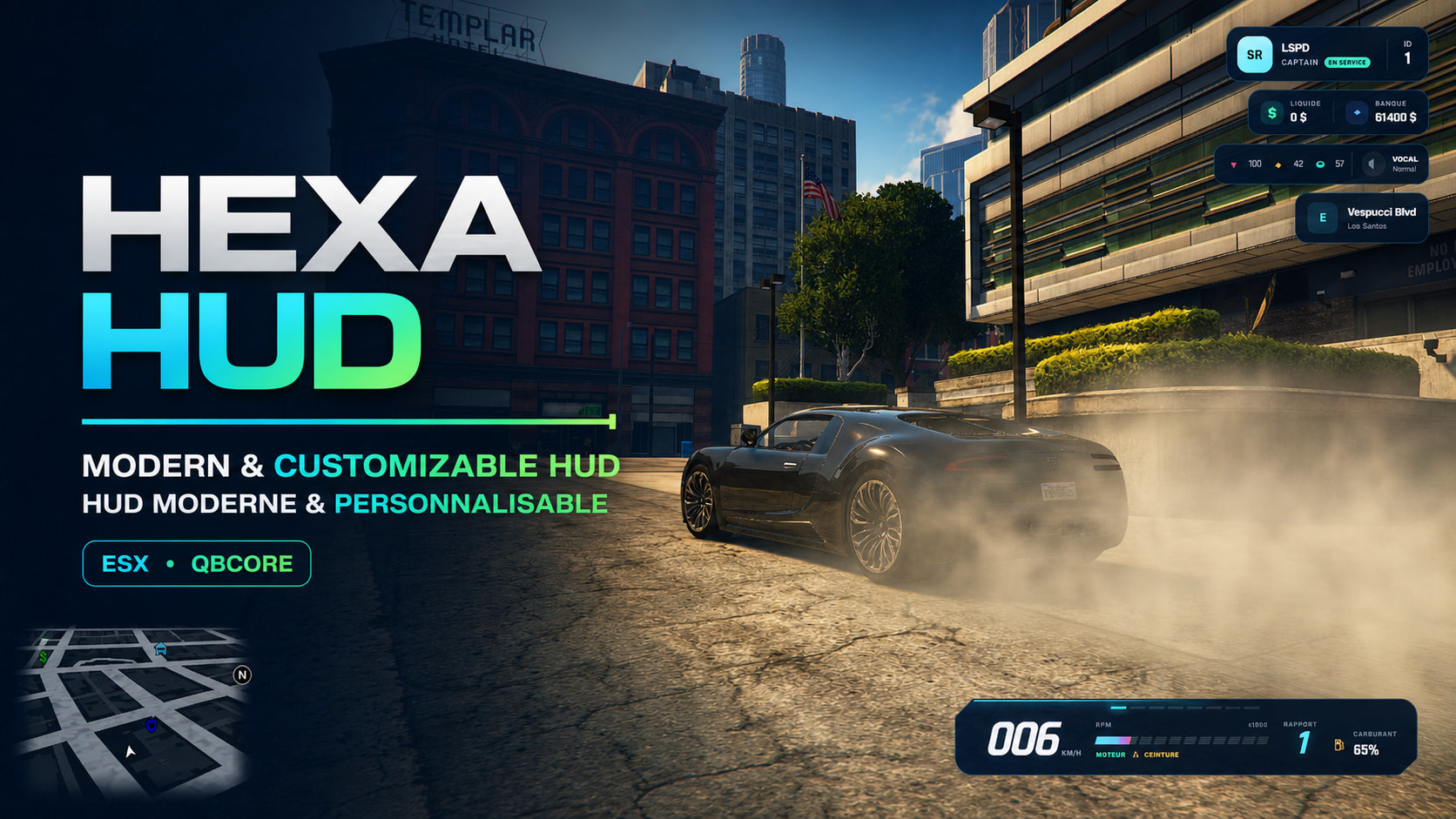
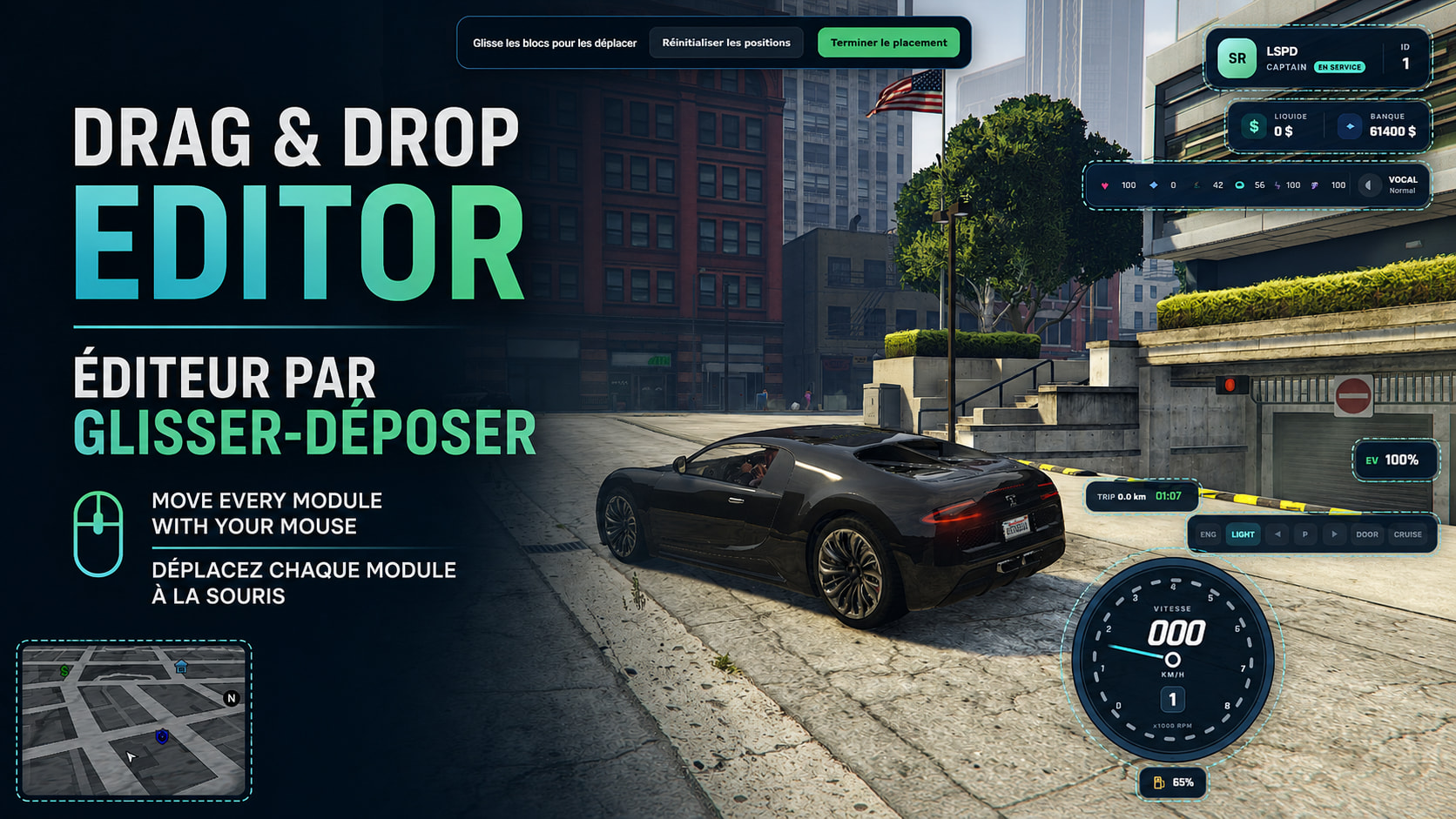
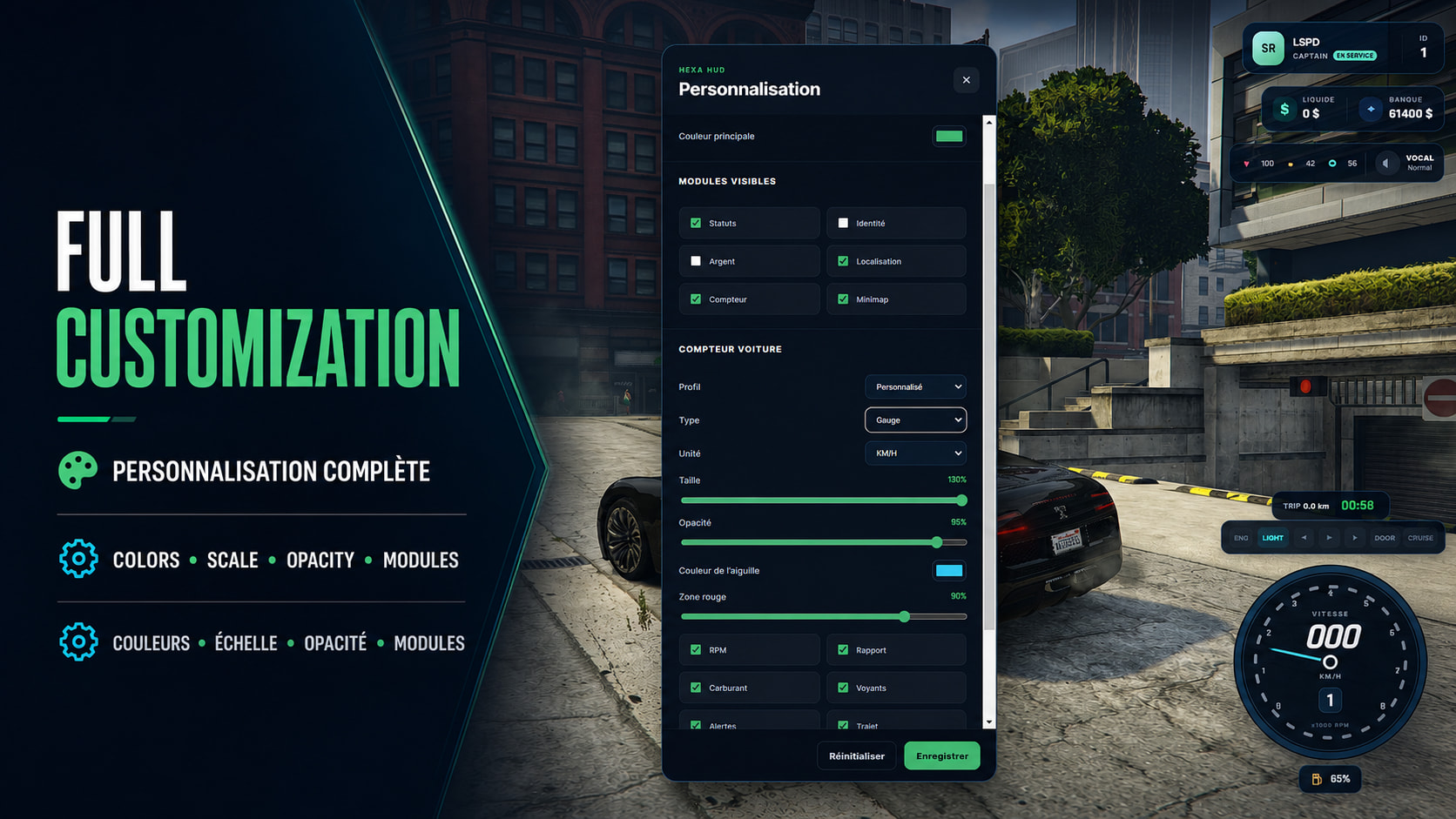
Drag it, scale it, recolor it or remove what you do not need.
Drag-and-Drop Editor
Players can reposition authorized HUD modules directly in game using drag-and-drop controls with a snapping grid for cleaner alignment.
Visual Personalization
Interface colors, opacity and scale can be adjusted so players can build a HUD around their own screen and visual preferences.
Server-Controlled Modules
Server owners can enable or disable individual modules and features. Players can only customize the elements authorized by that configuration.
No SQL for Player Settings
HUD preferences are saved without requiring an additional SQL database just for interface customization.
Start from a preset instead of rebuilding the HUD every time.
Keep important status information visible without filling the entire screen.
Four speedometer styles plus driving data for different types of servers.
Four Speedometer Styles
Choose from four visual speedometer styles rather than locking every server or player into one vehicle display.
Metric & Imperial Units
Vehicle speed can be displayed in either kilometers per hour or miles per hour.
Trip Information
Track trip distance and travel time for a more informative driving interface.
Acceleration Timer
A 0–100 km/h timer adds an extra data point for racing and performance-oriented gameplay.
Police Mode
A dedicated police vehicle mode is included for servers with law-enforcement gameplay.
Electric Vehicle Mode
Electric vehicle support gives compatible servers a HUD mode suited to non-combustion vehicles.
Show warnings when they matter — hide unnecessary indicators when they do not.
Hexa HUD includes contextual alerts covering player and vehicle conditions, while unused indicators can automatically disappear to keep the interface cleaner.
ESX Legacy or QBCore — Hexa HUD detects the supported framework automatically.
- Frameworks
- ESX / QBCore Automatic detection for ESX Legacy and QBCore.
- ESX Status
- esx_status Supported for status values in ESX environments.
- Fuel Resources
- Multi Support Supports ox_fuel, LegacyFuel and GTA's native fuel system.
- Fuel Fallback
- Native GTA When a dedicated fuel resource is not detected, the HUD can use GTA's native fuel level.
- Languages
- EN / FR English and French language support is included.
- Database
- No SQL Player HUD preferences do not require an SQL database.
- Code Access
- Partial Configuration and NUI files are listed as accessible.
- Subscription
- No The resource is not subscription-based.
Designed to stay lightweight whether the player is walking or driving.
Everything important is accessible directly in game.
/hudsettings
Open the Hexa HUD customization menu.
/togglehud
Show or hide the complete HUD.
F10
Keyboard shortcut to toggle HUD visibility.
B
Toggle the vehicle seatbelt.
Download Hexa HUD without a subscription or mandatory Discord join.
Hexa HUD is distributed free through the Hexa Studio Tebex store. Joining the developer's Discord is not required to download or use the resource.
Give players the information they need without deciding exactly where every pixel must stay.
Hexa HUD combines automatic ESX Legacy and QBCore detection, five interface presets, four speedometer styles, drag-and-drop positioning, player and vehicle status modules, contextual alerts, police and EV modes, optional fuel integrations and database-free preference storage into one free customizable FiveM HUD.