
BLV HUD System
Players stare at your HUD for hours. If it looks cheap, the whole server starts feeling cheap. BLV HUD fixes that with one polished interface for player stats, vehicles, voice, radio, navigation, notifications and all those tiny details that quietly decide whether a server feels finished or still “in development”.
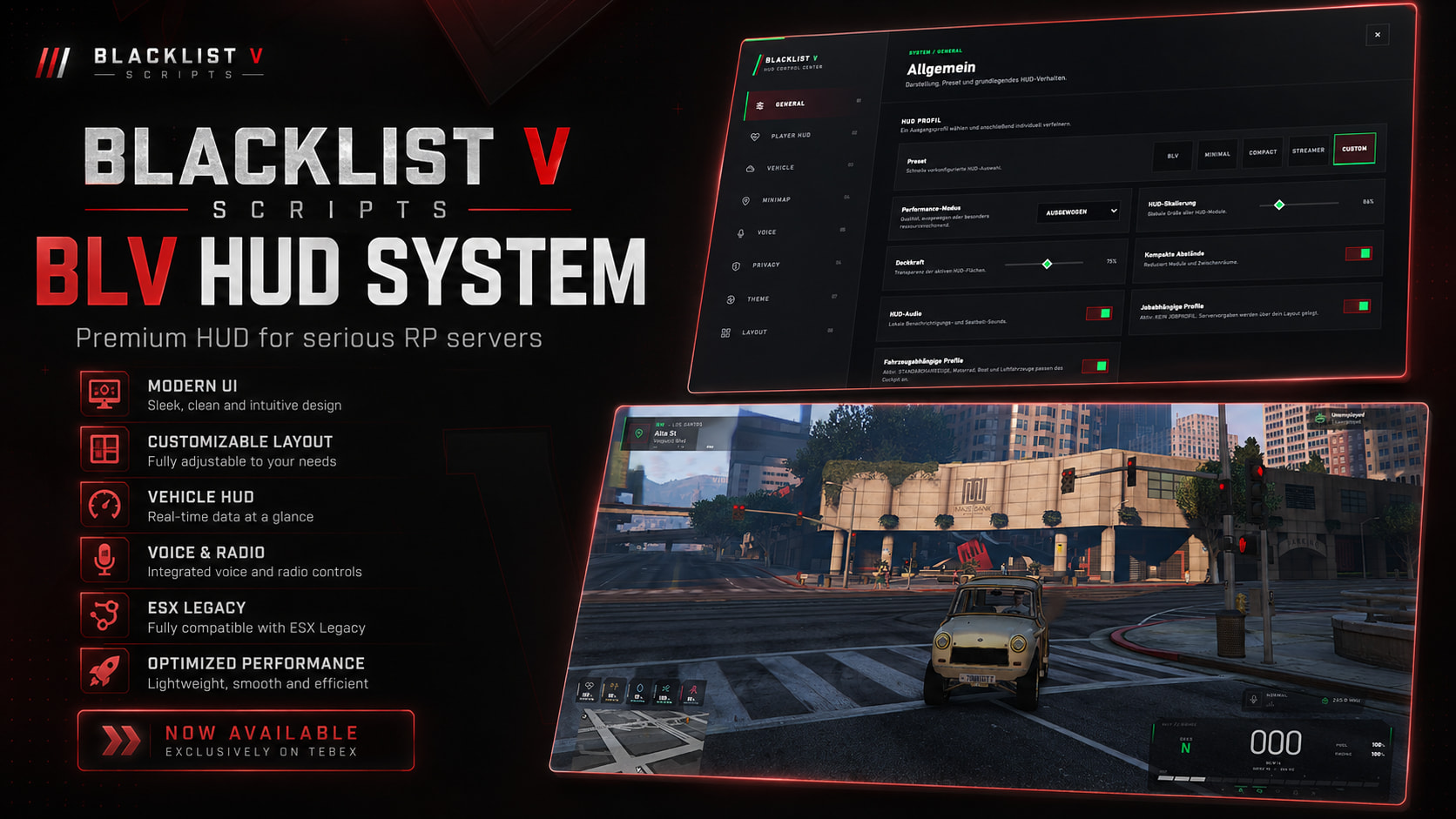
But players absolutely notice when every piece of the interface feels like it belongs together.
A good HUD should not fight for attention every second. It should sit there, quietly doing its job, then show the right information exactly when the player needs it. BLV HUD is built around that idea: a cleaner screen during normal gameplay, detailed information when it matters and enough customization that players do not have to live with somebody else's perfect layout.
Oxygen does not need to scream at you while standing on a sidewalk. Vehicle data does not need to hang around after you leave the car. BLV can hide contextual information until it actually has a reason to exist on screen.
// LESS CLUTTER · MORE SIGNALYour player HUD should answer questions, not create visual noise.
Health, armor, money, job, voice, radio, weapon information, location and character status can all live inside the same visual system. Components can also use dynamic visibility so the screen stays cleaner when certain data simply is not relevant.
A proper digital cockpit instead of a lonely speed number in the corner.
Actual Driving Information
Speed, current gear and RPM sit together where they make sense. KM/H and MPH are both supported, so the HUD can match the style of your server instead of forcing one unit system on everybody.
The Car Can Tell You What Is Wrong
Fuel, engine condition, lights and vehicle status indicators give players useful feedback without needing another separate UI resource for every basic vehicle state.
Seatbelt That Is More Than an Icon
Custom keybinds, warning speeds, warning sounds, volume control, vehicle blacklists and optional exit restrictions let you shape the seatbelt behavior around your own driving rules.
Not Every Vehicle Needs the Same HUD
Specific models and vehicle classes can be excluded, while vehicle-dependent profiles make it possible to tailor the experience around different kinds of driving.
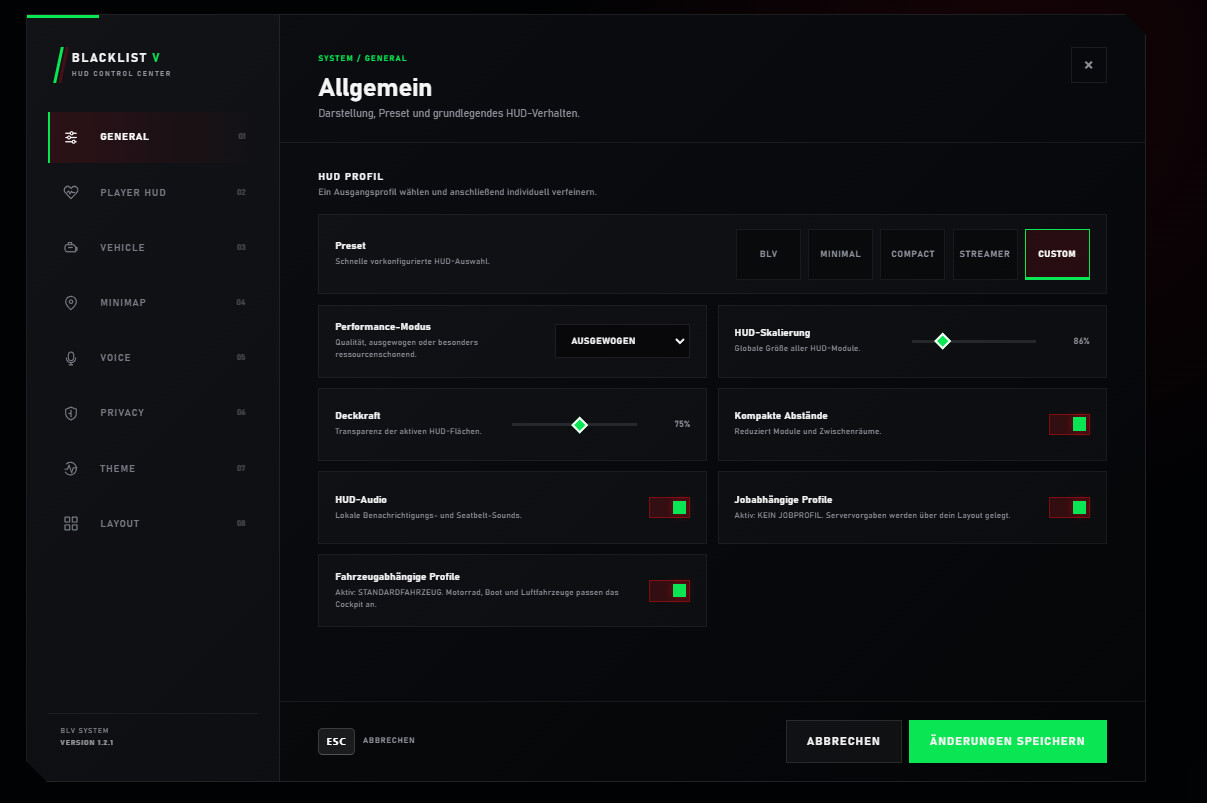
Give players a control center instead of making them edit config files in their imagination.
Scale it. Move it. Hide it. Save it.
Players can manage HUD presets, scale, opacity, component visibility, compact spacing, minimap behavior, voice settings, themes, layout, HUD audio and both player and vehicle profiles from the integrated control interface.
And yes — supported HUD components can actually be repositioned. Players are not stuck with one “designer-approved” layout forever. Move things where they feel right, save the setup, or reset everything back to the default BLV layout.
// YOUR SCREEN · YOUR LAYOUTSometimes you just want to click one preset and get back to playing.
Voice, radio, stress, minimap, notifications — the stuff people usually glue together from four different resources.
Voice That Actually Feels Alive
Voice activity, range, mode, radio activity and frequency can all be represented inside the HUD. When the player speaks, the interface can react without exploding into unnecessary animation.
Use the Stress System — or Don't
Shooting, high-speed driving and configured gameplay conditions can influence stress and trigger configurable effects. Already running your own stress resource? The complete BLV system can be disabled.
Minimap on Your Terms
Keep it permanently visible, hide it completely or show it only inside vehicles. Street information and compass direction can sit alongside it when the server needs navigation data.
Built-In Notifications
Info, success, warning and error notifications support configurable duration and stacking, with exports and events available for other resources to use the same notification style.
Progress UI Included
Timed interactions can use the included progress interface, helping other scripts stay visually consistent with the rest of BLV.
Profiles Can Follow the Gameplay
BLV includes support for vehicle-dependent and job-dependent profiles, giving different gameplay situations room to use different HUD behavior instead of forcing one universal setup.
Clean information, strong contrast and enough breathing room to keep the game visible.
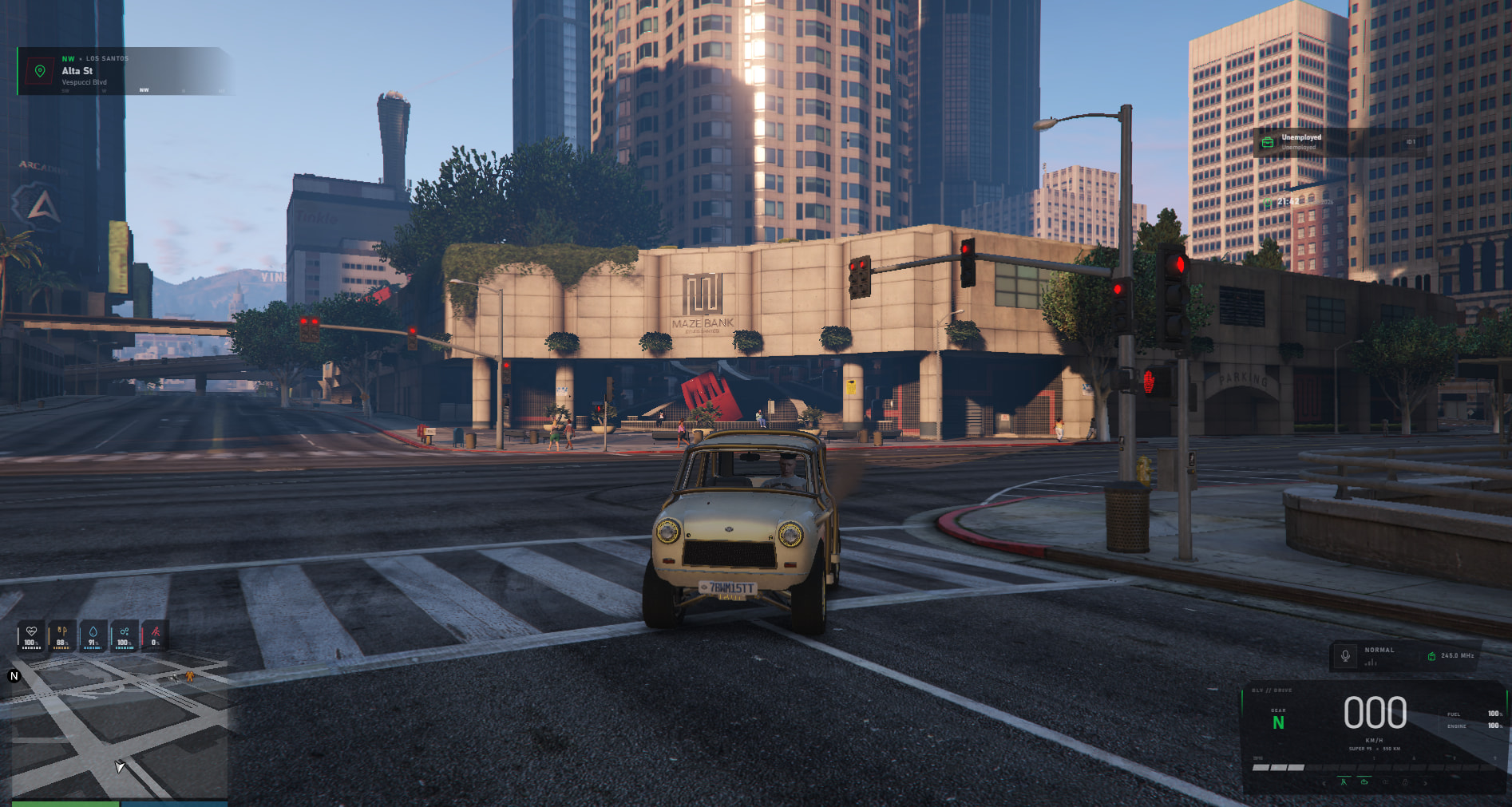
From regular Full HD to ultrawide and 4K — the HUD is designed to adapt.
Framework support, accessible configuration and no recurring subscription.
- Frameworks
- ESX / QBCore / QBox Compatible with ESX Legacy, QBCore and QBox configurations.
- Resource Type
- Complete HUD Player HUD, vehicle HUD and surrounding interface systems.
- Price Listed
- €29.99 Price listed in the supplied release information.
- Code Access
- Config + Locales Configuration and locale files are listed as accessible.
- Approx. Lines
- ~5,800 Approximate line count supplied with the release.
- Subscription
- No No recurring subscription is listed.
- Customization
- Extensive Components, profiles, colors, scale, voice, minimap, seatbelt, stress, vehicles, audio and more can be configured.
- Support
- Yes Developer support is listed as available.
If players are going to look at it every minute they play, it might as well look like you cared.
A HUD is not decoration. It is the part of your server players live with every single session.
BLV HUD pulls player information, vehicle data, voice and radio, seatbelt behavior, stress, navigation, notifications, progress UI, presets and layout customization into one consistent interface for ESX, QBCore and QBox. Less patchwork. Less random UI. More of that “yeah, this server actually feels finished” feeling.