
Stop Mapping Like It’s 2019.
Open editor. Move prop. Export. Restart. Log back in. Realize the chair is floating. Repeat until your evening disappears. BLVCK Map Editor cuts through that whole ritual and lets you build directly inside FiveM with freecam, a proper 3D gizmo, thousands of searchable objects, brush placement, layers, effects and real-time collaboration.

You already know where the prop should go. So why are you restarting the server just to move it 20 centimeters?
BLVCK Map Editor is built around a very simple idea: if you're designing something for FiveM, you should be able to stand inside FiveM while designing it. Fly around with freecam, place objects, rotate them, scale them, test the scene and keep building without bouncing between three different tools.
Beach party tonight? Build it. Halloween event next week? Save it. Need fifty barriers around a race route? Paint them in. Need the whole thing gone Monday morning? Schedule it. That's the kind of workflow this editor is aiming for.
// LESS ALT-TAB · MORE MAPA proper 3D gizmo means you stop guessing coordinates and start placing things where your eyes say they belong.
Grab it in the world and put it exactly where it needs to be.
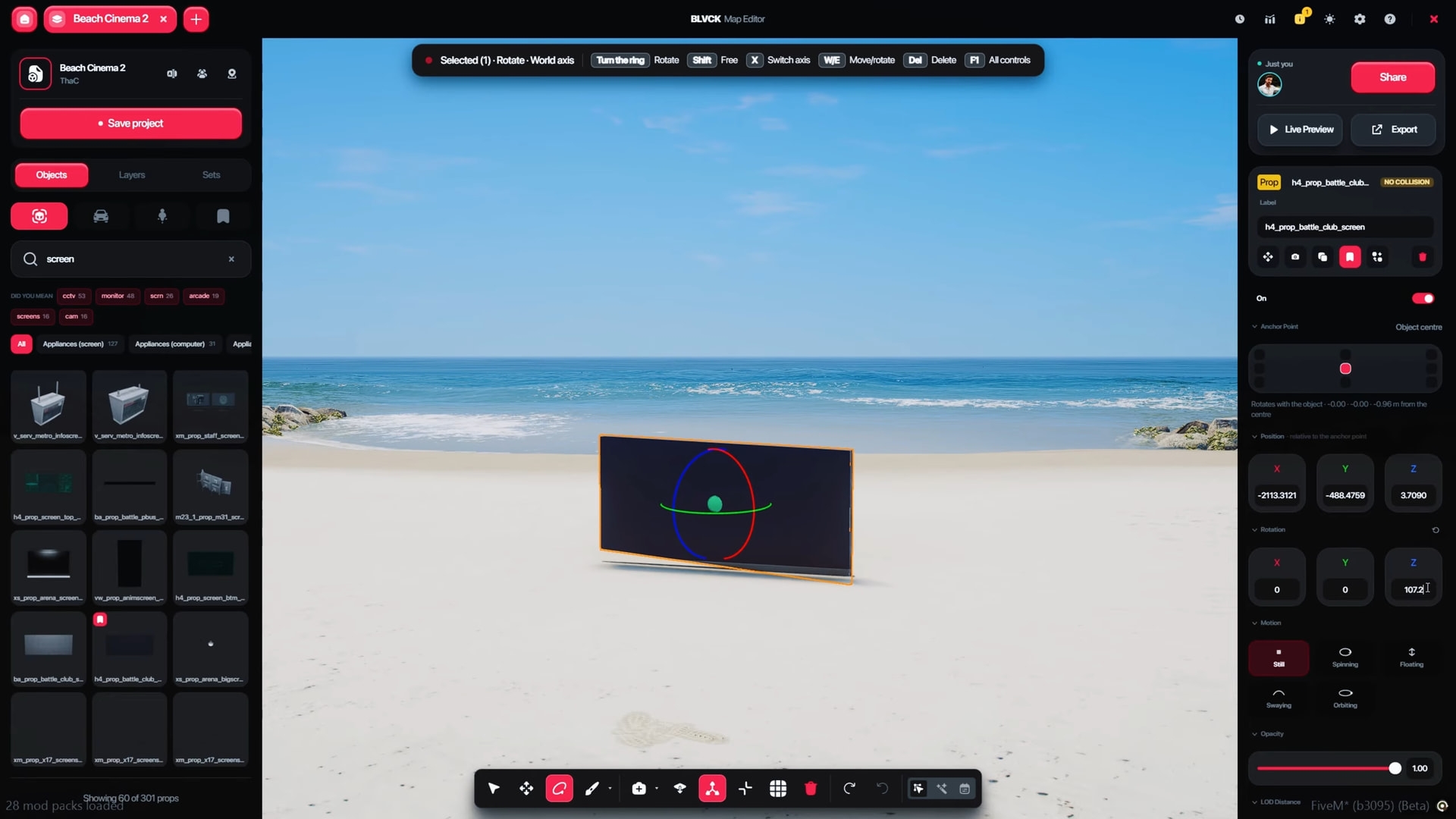
Selected objects can be moved, rotated and scaled directly with axis-based gizmo controls. The inspector keeps position, rotation, motion type, anchor point and opacity visible while you work, so the scene feels editable rather than baked into the map.
Grab the Prop, Not a Spreadsheet
Move objects along individual axes, rotate them visually and scale them inside the scene. If the couch looks wrong, fix the couch while you're literally looking at the couch.
Find the Prop Without Knowing Its Entire Family History
Search uses suggestions and categories, so a general term like “screen” can help surface related monitors, cameras, arcade screens and other matching objects.
Snap Things Before Your OCD Notices
Grid snapping, fixed rotation angles and corner magnet behavior can help keep repeated structures aligned when “close enough” is starting to become very visibly not close enough.
Wrong Prop? Swap It Without Rebuilding the Placement
Replace the selected model from the prop browser while keeping its existing position and rotation. Extremely useful when the layout is perfect and only your taste in chairs was questionable.
Paint repeated objects across an area, save reusable builds and stop doing the same work twice.
Brush Mode Is Basically Cheating
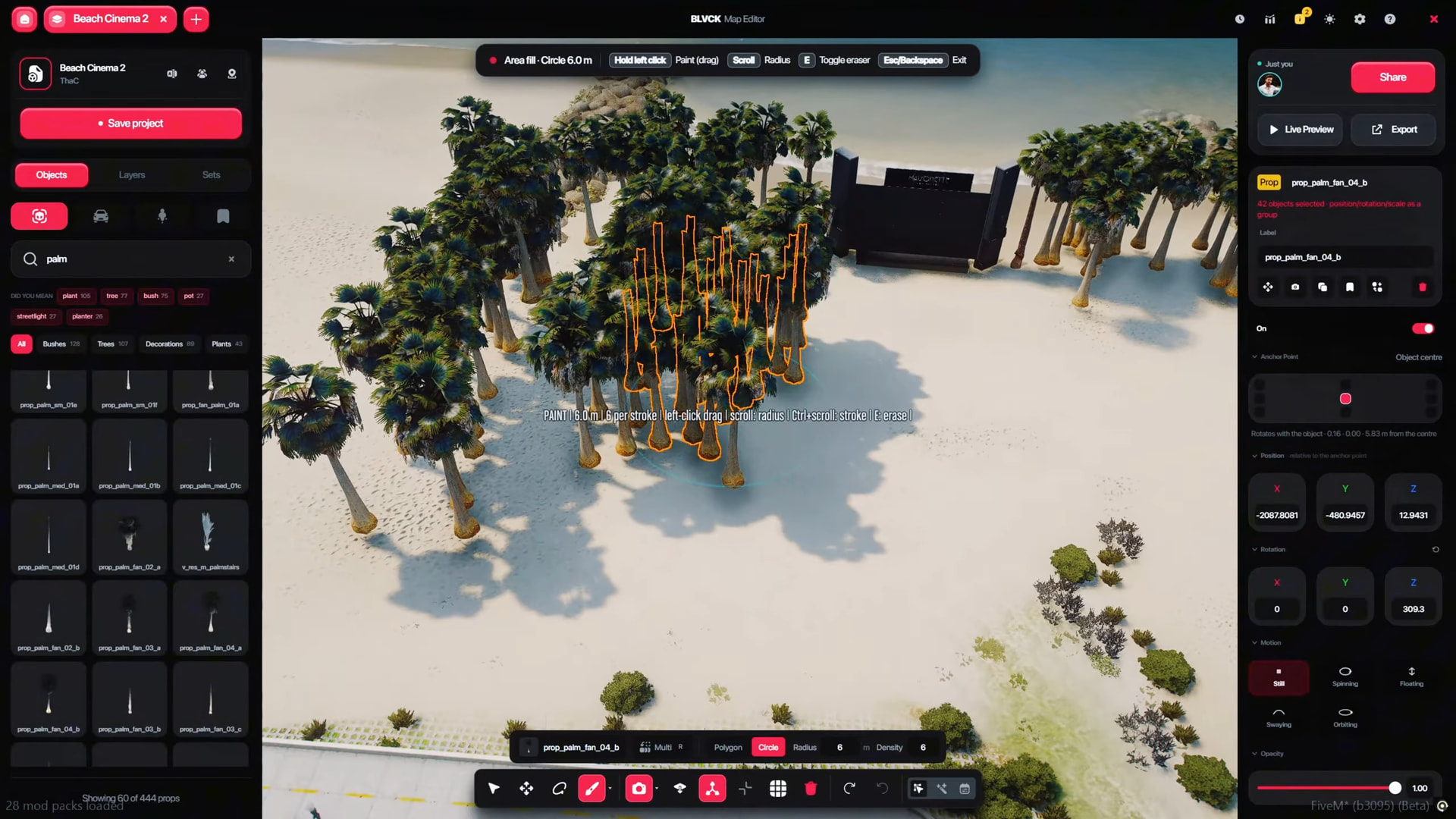
Pick a prop, set the brush area and drag across the world to place repeated objects in bulk. Forests, fencing, roadside clutter, parking layouts — the boring repetition becomes the fast part.
Control How Chaotic the Brush Gets
Circle and polygon brush shapes support configurable radius and density, with controls for changing them while painting.
Built Something Good? Save the Whole Thing.
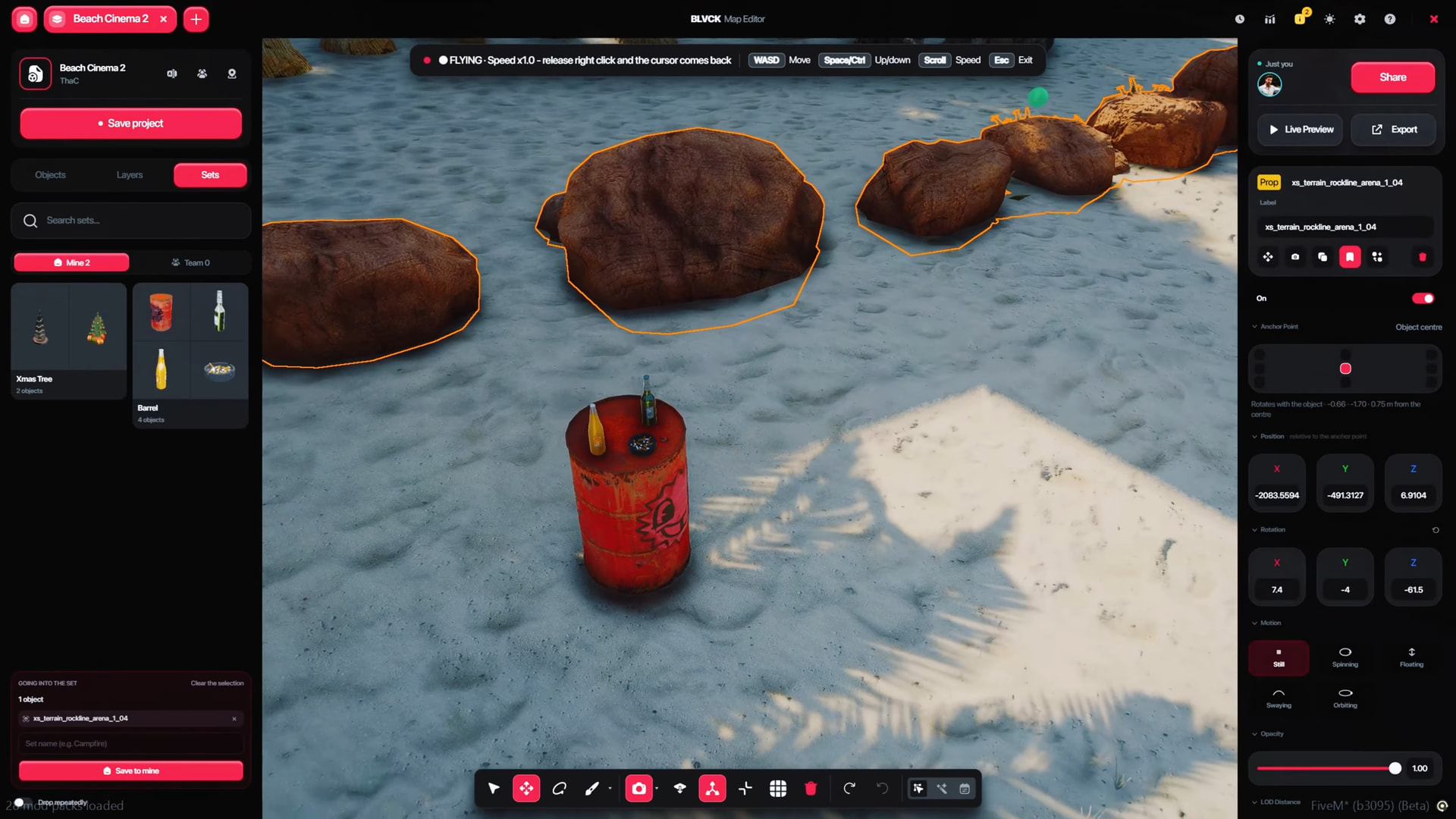
Select multiple objects and save them as a reusable prefab. A stage, barricade setup, campsite, decorative corner or event prop cluster can come back later with one placement instead of twenty.
Keep Sets Personal or Share Them With the Team
Prefabs can be saved for your own use or shared with other people working on the project, so useful layouts don't have to live inside one mapper's brain forever.
Put trees with trees, lights with lights and the questionable event decorations somewhere you can hide them quickly.
Objects can be organized into named layers with individual visibility and locking controls. Search them, select multiple rows, move objects between layers and keep bigger builds manageable instead of turning the object list into archaeological research.
Layers become even more useful once scheduling enters the picture, because you can decide that only part of a map should exist at a certain time instead of switching the entire build on or off.
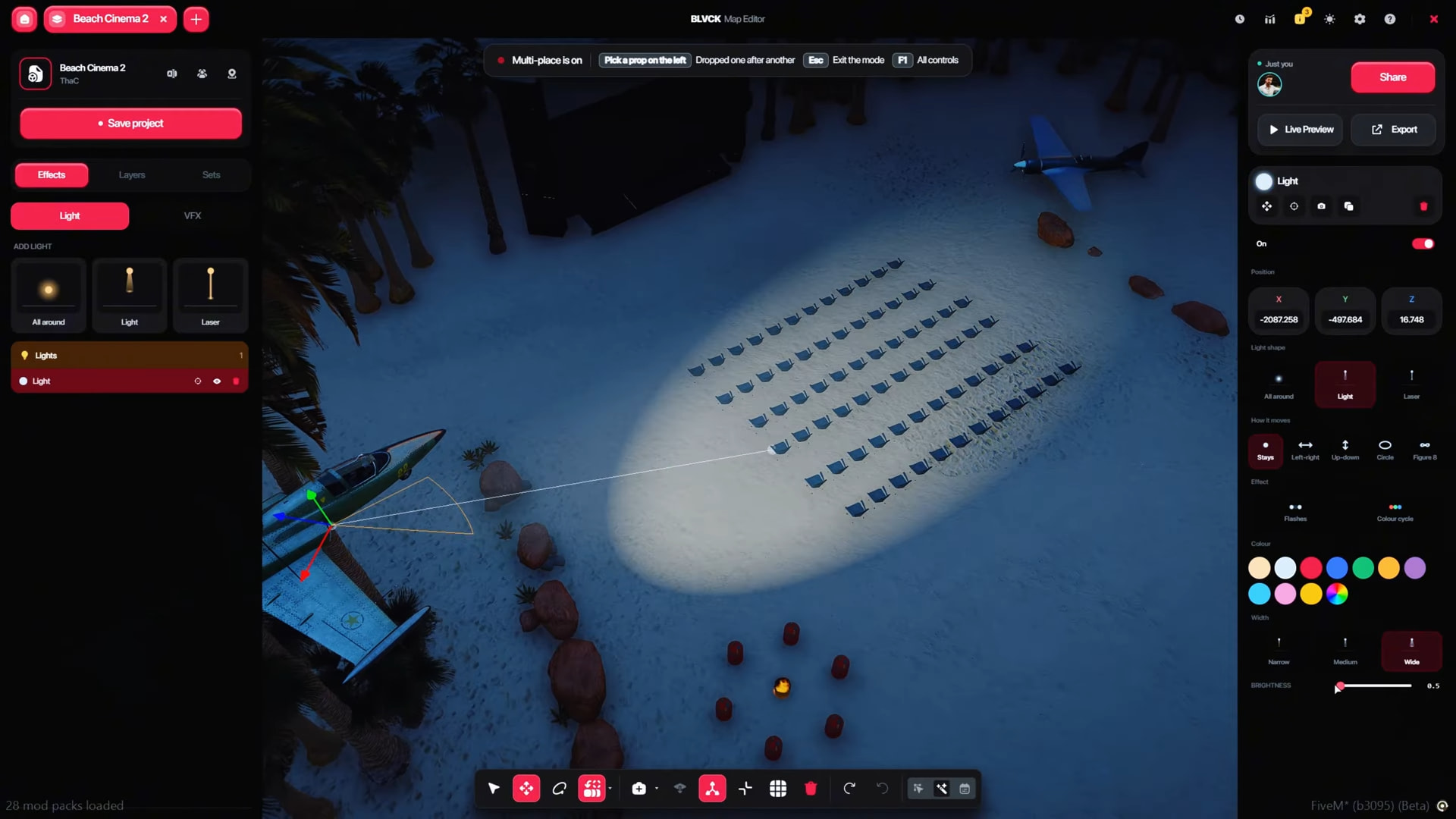
// ORGANIZED CHAOSAdd lights, animated beams, motion and effects until the map stops looking like a map and starts looking like an event.
Actually Light the Scene You Just Built
Configure light color, width and brightness directly through the effects controls instead of hoping the world lighting happens to make your event look good.
Static Is Optional
Flashing and color-cycle effects can add movement to lighting setups without requiring every visual idea to become its own separate resource.
Props Don't Have to Sit There Like Furniture Catalog Photos
Object motion modes include still, spinning, floating, swaying and orbiting behavior for builds that need a little more life.
Drop Several Lights Without Reopening the Tool Every Time
Multi-place mode helps with repeated light placement when you're building larger stages, streets, displays or event zones.
BLVCK lets admins work on the same project in real time without silently fighting over the same chair.
Build the event while the rest of the team is building it too.
Multiple admins can edit together in real time. The supplied specification includes Discord avatars and selection locking, giving teams a clearer view of who is working on what instead of discovering somebody moved your setup while you were adjusting the lights.
Build it once, decide when it exists and let the server handle the clock.
Choose the Days
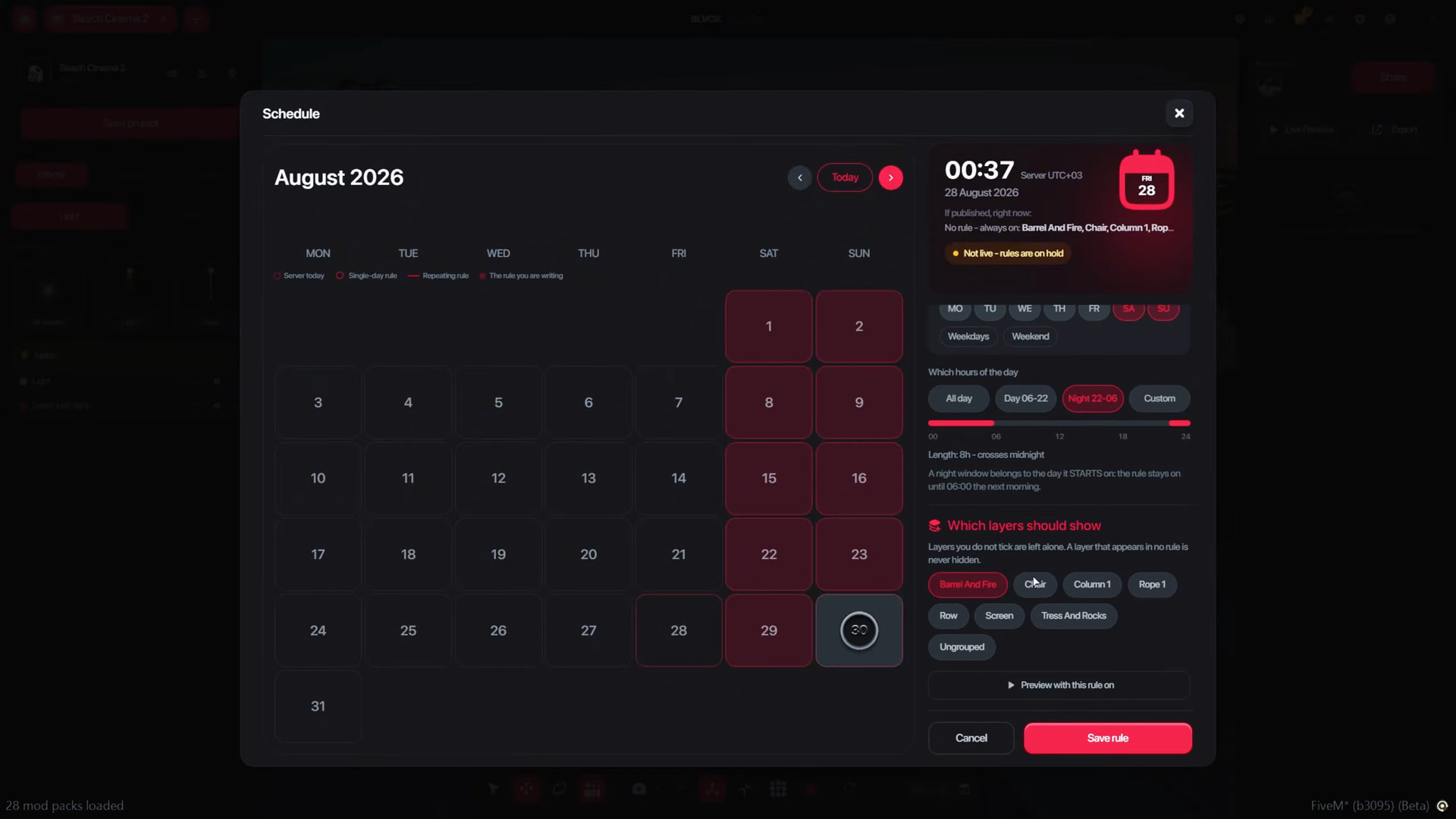
Schedule individual days or use shortcuts for weekdays and weekends through the visual scheduling interface.
Choose the Time Window
Rules can run all day, during predefined day or night windows, or inside a custom time range.
Schedule Only Part of the Map
A rule can target specific layers, so lights can switch on at night while the actual props remain in place, or event pieces can appear only when they're needed.
Preview Before Letting Players See It
Scheduling rules can be previewed so you can check what the scene looks like before trusting Friday night traffic with it.
Seasonal decorations, weekend markets, nighttime clubs, race events, temporary roadworks — scheduled maps turn temporary world changes into something you configure once instead of manually babysitting.
// BUILD ONCE · APPEAR ON TIMEExport the build, publish it to the community or turn it into a standalone FiveM resource.
Turn the Build Into Its Own Resource
The Resource export can package a complete FiveM resource, including the manifest and spawn script, so a finished build can move from editor project to server resource without rebuilding the structure by hand.
The Editor Knows ymap Can't Carry Everything
When an export contains elements that don't fit the ymap format — such as certain vehicles, lights or effects — the editor can account for them through companion client logic instead of quietly pretending those elements never existed.
Or Just Share the Whole Idea
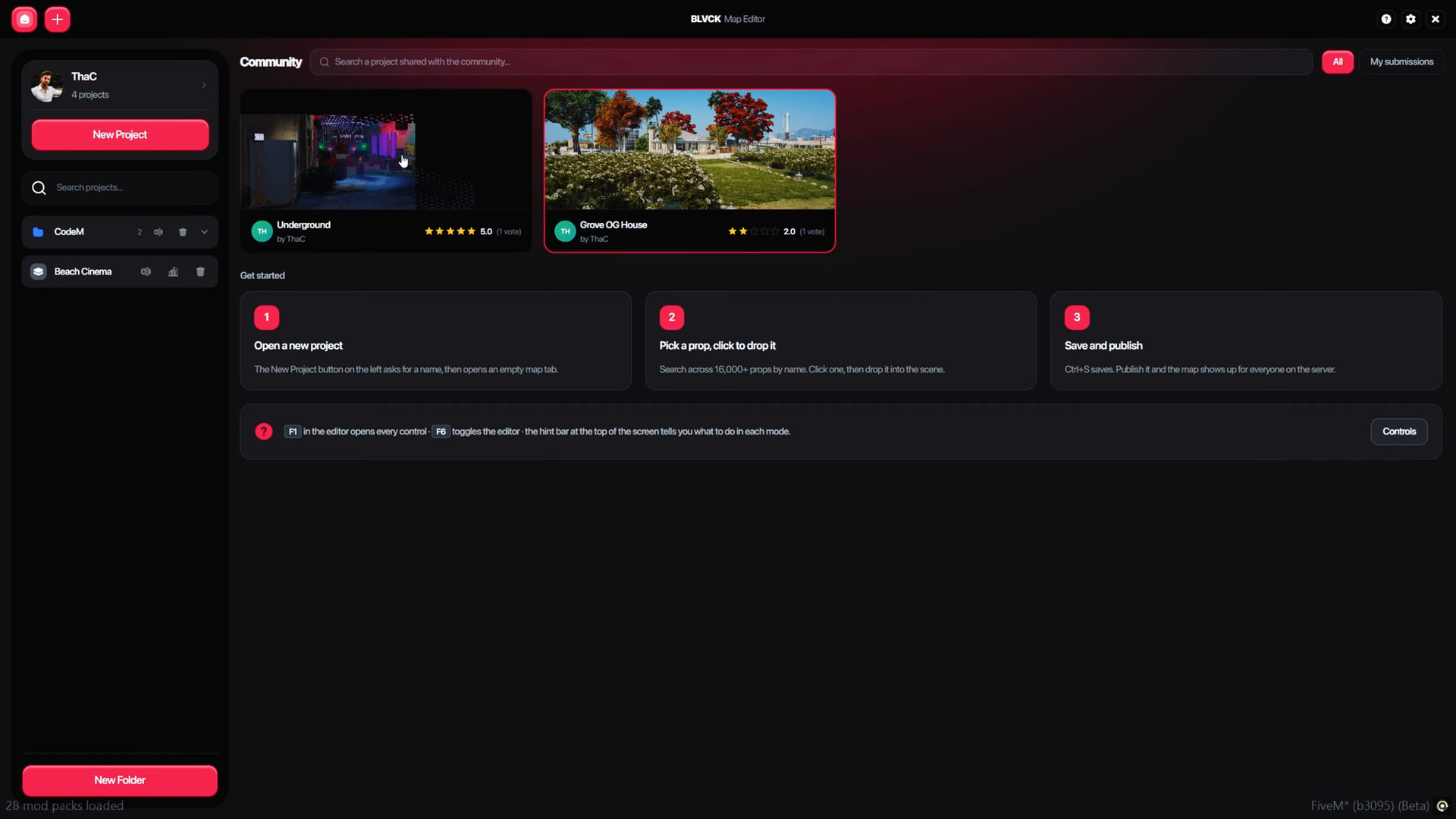
Maps can be published to the cross-server Community Catalogue with a title, description, location, contributors and in-game imagery.
And Steal Inspiration Like a Respectable Mapper
Other community creations can be browsed with ratings and author information, then downloaded directly when you find something worth building from.
Browser, inspector, layers, gizmos, schedules, effects — without leaving the game.
No framework. No database. No dependency chain. Literally add the resource and start building.
- Framework
- Standalone Works without a framework and can run alongside any server stack.
- Dependencies
- None No additional resource dependency is listed.
- Database
- None Maps are stored as JSON files inside the resource.
- Permissions
- ACE Editor access can be controlled through configurable ACE permissions.
- Object Limit
- 20,000 / Map Listed object limit for an individual map project.
- Favorites
- Up to 500 Listed favorites limit.
- Prefabs
- Up to 100 Listed reusable prefab limit.
- Audit Log
- 500 Entries Audit log limit listed in the technical information.
- Object Draw Distance
- 350m Default listed distance; configurable.
- Effects Draw Distance
- 220m Default listed effects distance; configurable.
- Light Draw Distance
- 250m Default listed light distance; configurable.
- Motion Draw Distance
- 120m Default listed motion distance; configurable.
- UI
- Vue + Tailwind Interface stack listed by the developer.
- Editable Files
- Config + Locales config.lua, server/config.lua and locale JSON files are listed as escrow-ignored.
- Code Editions
- Escrow / Source Both protected and Open Source purchase options are available.
- Subscription
- No No recurring subscription is listed.
Watch the editor in action, check the docs and decide whether your current mapping workflow has suffered enough.
The best mapping upgrade might not be another prop pack. It might be finally making the workflow enjoyable.
BLVCK Map Editor brings freecam building, a 3D gizmo, large-scale prop search, brush placement, prefabs, layers, moving objects, dynamic lights, co-op editing, scheduling, community sharing and four export workflows into one standalone FiveM editor with no framework, database or external dependency requirement.